Manage, Fix & Configure Any
Network Device with AI
iPilot is your built-in AI network expert. Connect to OLTs, MikroTik routers, and fiber equipment, then ask in plain English — iPilot runs the commands and reports back with clear findings. Available right in the ISPbills web panel and as a terminal-native CLI.
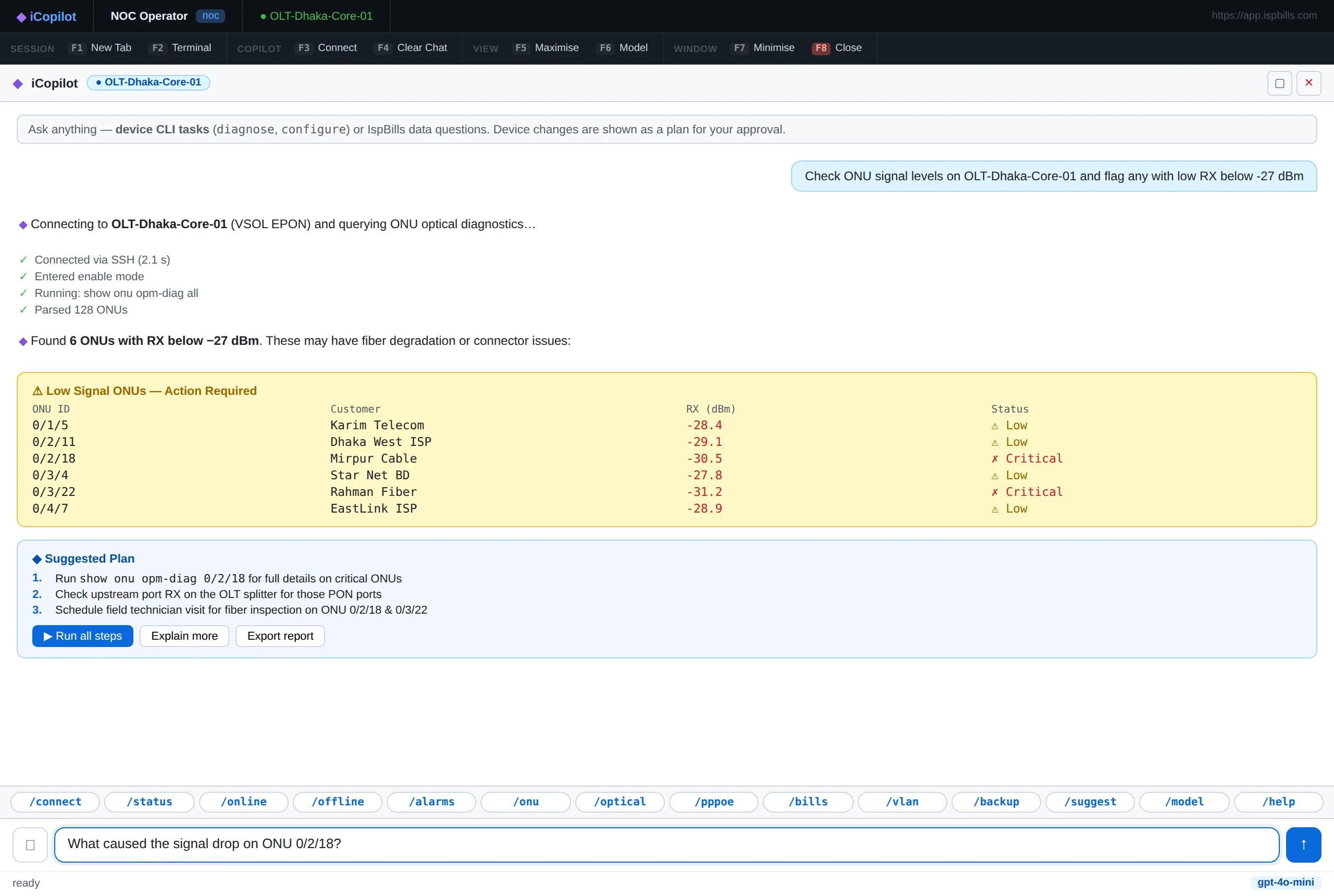
The iPilot web terminal — built into your ISPbills admin panel. Ask in plain English, watch each device command run, approve any change before it applies.
One AI, Two Ways to Work
Run iPilot from the ISPbills web panel for your NOC team, or drop into the terminal-native CLI for SSH sessions and automation — same AI, same audit trail.
In the ISPbills panel
A full-screen operator console for your NOC. Slash-command shortcuts, device tabs, model picker, and one-click plan approval — no install required.
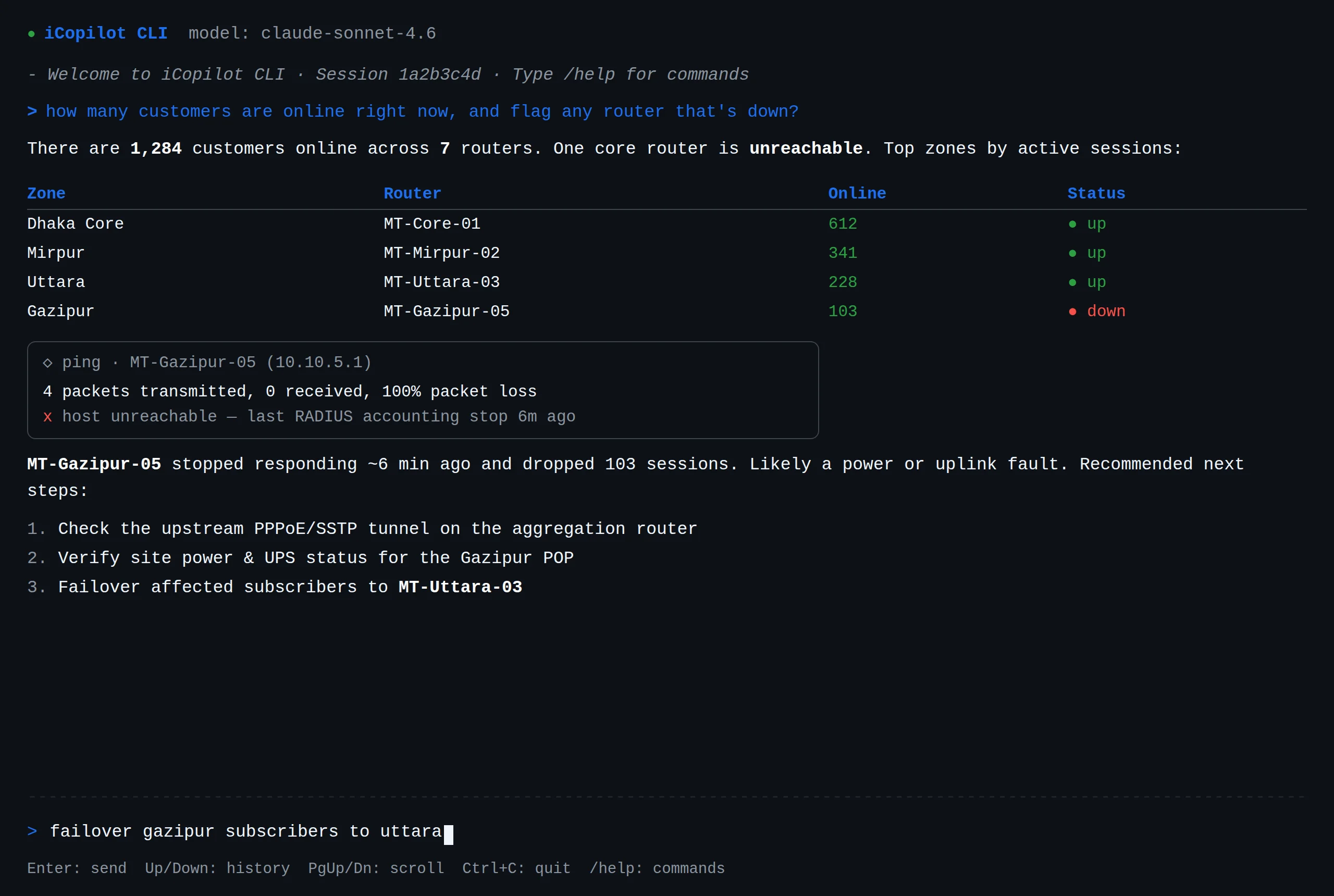
On any server, over SSH
A fast terminal client for engineers who live in the shell. Scriptable, keyboard-driven, and ideal for remote troubleshooting and automation.
Everything an ISP Engineer Needs
iPilot covers the full scope of network operations — from fiber signal checks to router configuration — in one AI-powered terminal.
OLT & ONU Management
Check ONU optical signal, view GPON port status, reboot ONUs, add profiles, and diagnose fiber issues — across VSOL, ZTE, Huawei, and more.
MikroTik Configuration
Manage firewall rules, PPPoE/RADIUS settings, bandwidth queues, and routes via SSH or RouterOS API — just describe what you need.
Network Diagnostics
Run pings, traceroutes, and interface checks directly from your device. Pinpoint packet loss, latency spikes, and routing problems instantly.
Subscriber Fault Isolation
Look up any customer by ID or IP, check their ONU link and RADIUS session, and determine whether the fault is on the device or the network.
AI Fix Plans
When a misconfiguration is detected, iPilot shows the exact fix commands and asks for your approval before making any changes to production.
File & Config Upload
Upload configuration files, log exports, or screenshots directly into the chat. iPilot analyzes them and provides context-aware guidance.
Web Panel & Terminal CLI
Use iPilot from the ISPbills admin panel or the terminal-native CLI over SSH. Same AI, same audit trail — pick whatever fits your workflow.
How iPilot Works
From question to answered — the iPilot workflow in four steps.
Connect to a Device
Type /connect or ask iPilot to connect to any OLT, MikroTik, or server in your account. Authentication is handled automatically.
Ask in Plain English
Ask anything: "check ONU signal for customer 1084", "show firewall rules on core router", "why is port 4/1 dropping packets".
Watch the Plan Execute
iPilot builds a numbered execution plan and runs each step in real time — you see the command output as it happens.
Get Clear Findings
After execution, iPilot summarizes what was found, what (if anything) was changed, and recommends next steps.
Built for Production Networks
iPilot follows a strict “show, don't touch without permission” policy. Diagnostic commands run immediately. Any configuration change is presented as a fix plan with the exact commands listed — nothing executes until you reply “apply fix”.
Supported Devices
iPilot works with any device accessible via SSH, Telnet, or RouterOS API.
Blog
iPilot: AI-Powered Network Management for ISPs
In-depth guide: how it works, use cases, and safety controls.
Ready to Transform Your ISP Business?
Join hundreds of ISPs worldwide who trust ISPbills to manage their operations. Start your free trial today — no credit card required.