Detect NetFlow attacks before they become outages
ISPbills AI DDoS Protection analyzes network flow telemetry, learns normal traffic patterns, and helps your NOC identify and respond to attacks with clear operational context.
See the real NetFlow DDoS investigation workspace
Examples from the ISPbills NetFlow workspace and the iPilot DDoS investigation workflow.
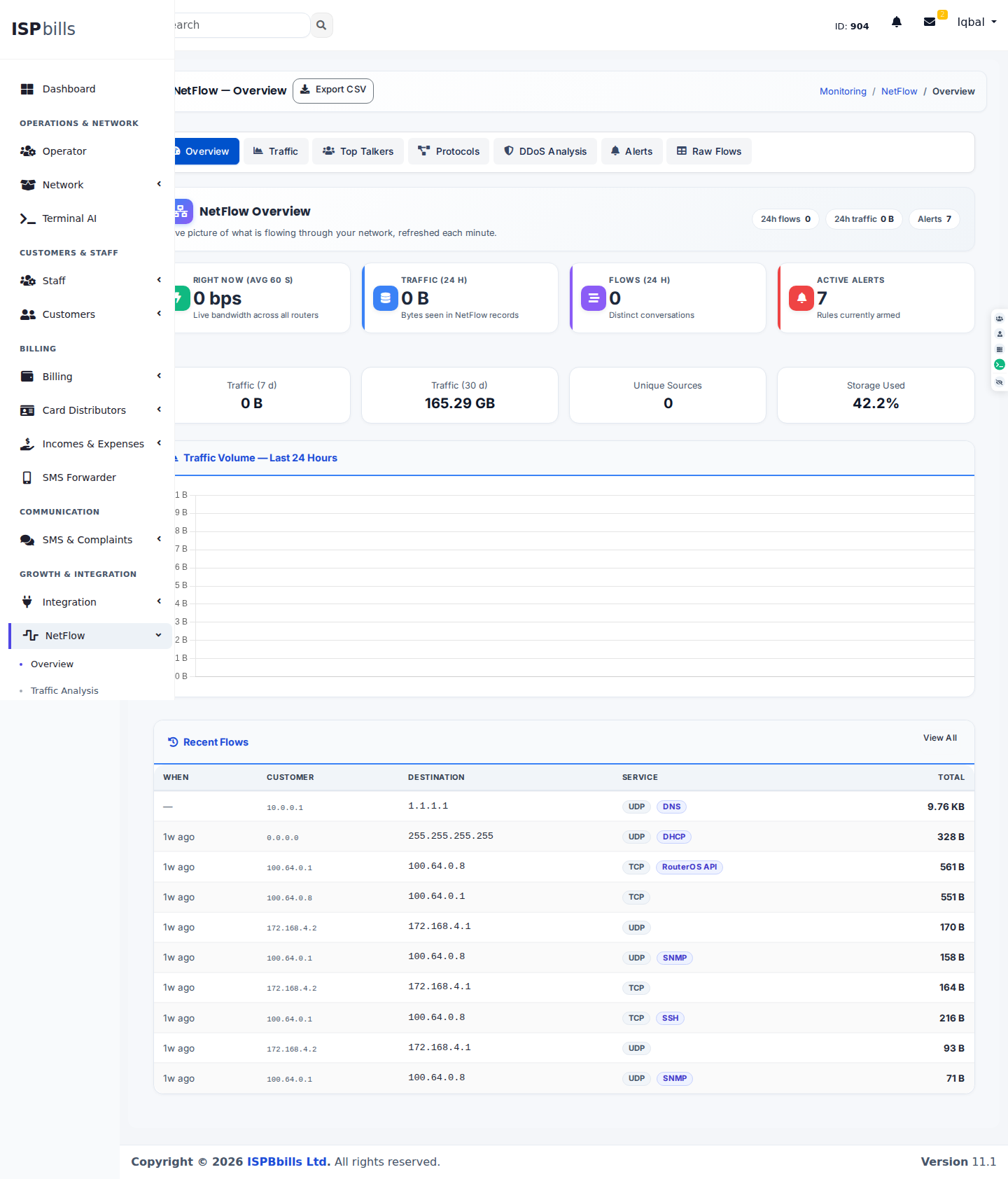
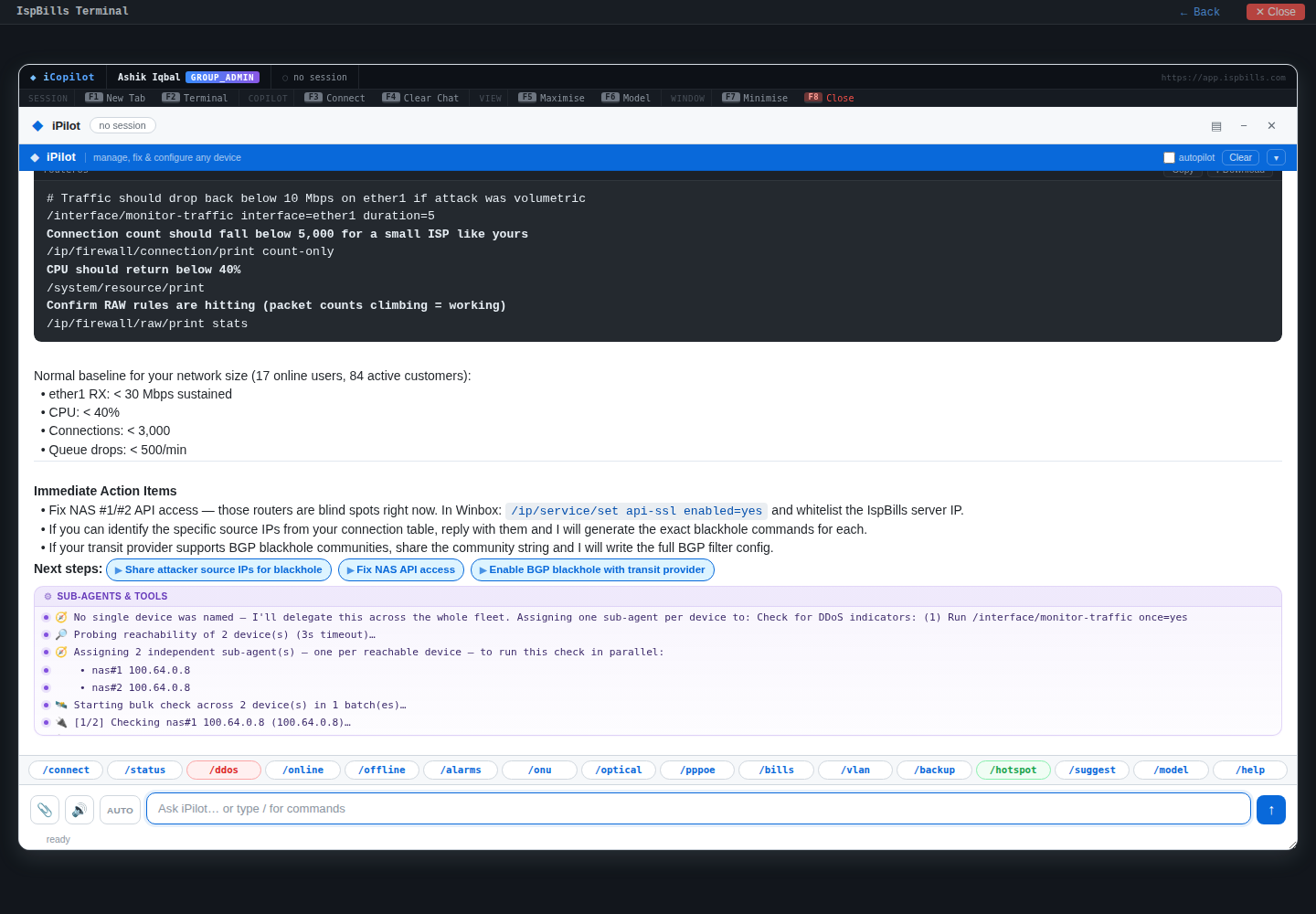
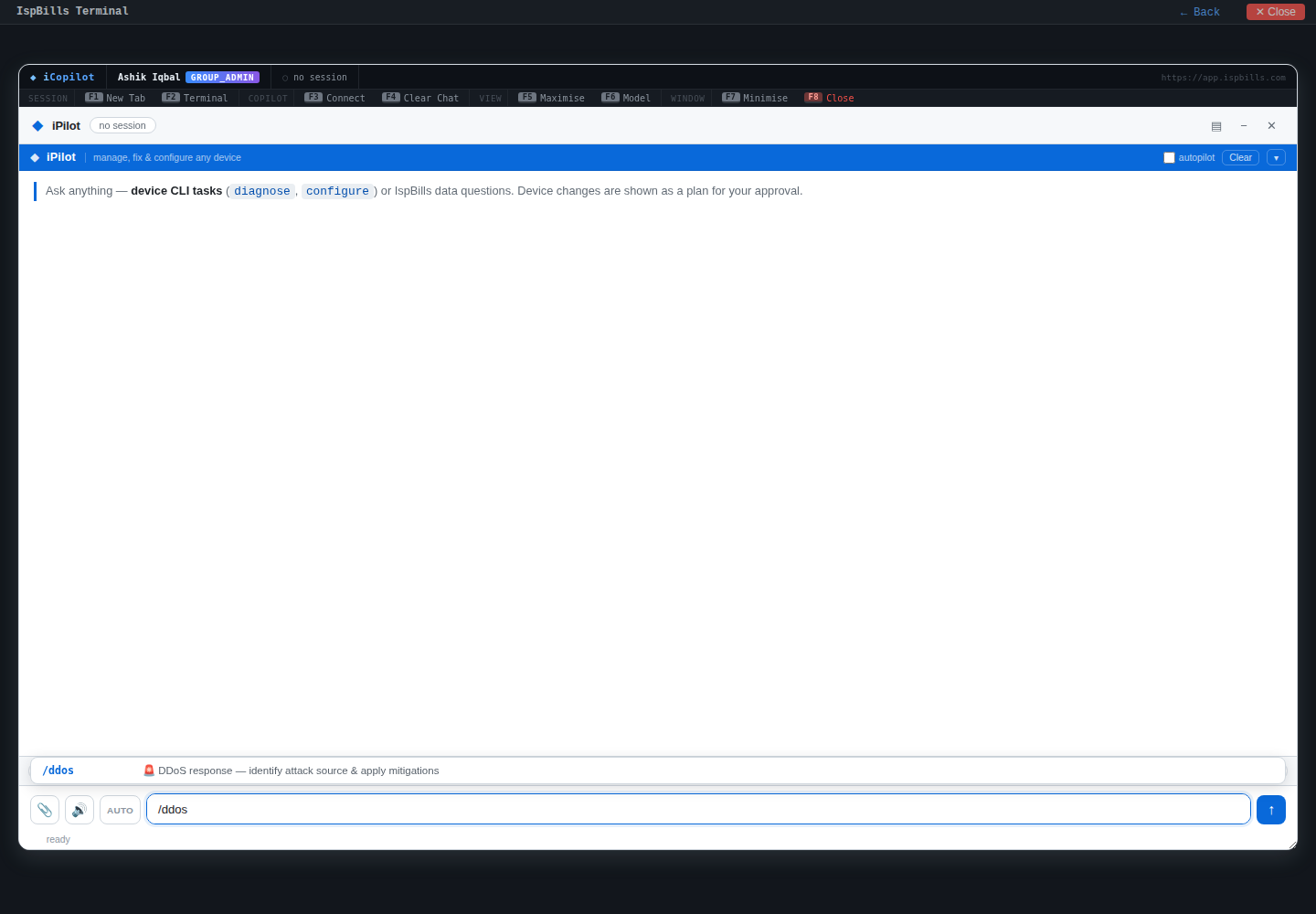
/ddos command.Designed for fast, evidence-based response
Instead of hunting through raw counters, your NOC gets a structured view of what changed, who is involved, and what to do next.
NetFlow visibility with an AI response layer
Turn high-volume flow telemetry into prioritized incidents your network team can understand and act on.
NetFlow traffic analysis
Continuously analyze flow records across routers, links and network segments.
Adaptive traffic baselines
Learn expected traffic behavior by interface, protocol, destination and time window.
Attack anomaly detection
Surface volumetric spikes, floods and unusual traffic shifts with supporting evidence.
AI-assisted investigation
Summarize affected services, likely vectors and the network scope of an incident.
Guided mitigation
Prepare reviewable response actions while keeping operators in control of changes.
Incident reporting
Preserve timelines, flow evidence and response notes for post-incident review.
From raw flows to a controlled response
A practical detection workflow designed for ISP NOC teams.
NetFlow DDoS Protection tiers
Choose the capacity tier that matches your peak traffic. All tiers include NetFlow traffic analysis, anomaly detection and guided incident response workflows.
10Gbps
Best for smaller ISPs and first-time NetFlow rollout.
Includes 14-day free trial (in-app).
Get started- DDoS spike detection + evidence
- Top sources / targets + drill-down
- Geo-IP triage + forensic export
40Gbps
Higher capacity for multi-branch and larger networks.
Recommended for growing NOCs.
Get started- Higher peak traffic headroom
- Same workflows and detections
- Monthly retention policy support
100Gbps
Maximum headroom for high-traffic ISP networks.
For large networks and busy edges.
Talk to sales- Highest capacity tier
- Incident workflow at scale
- Designed for larger ISP teams
14-day free trial
Start the trial in the app under Monitoring → NetFlow. After the trial ends, the 10Gbps tier starts automatically unless you stop it.
Common questions
Quick answers for deployment, trial and operations.
Which devices can export NetFlow to ISPbills?
MikroTik (Traffic Flow / NetFlow v9), Cisco, Juniper and other vendors that export NetFlow/IPFIX. Use the in-app NetFlow setup guide to confirm port and exporter settings.
Does NetFlow export slow down routers?
There is some overhead. Use sampling and sane timeouts on busy links. ISPbills is designed to work with sampled exports for security and capacity workflows.
What happens after the 14-day trial?
If you don’t stop it, the 10Gbps tier starts automatically. You can upgrade tiers any time from the portal.
Can my customers see this data?
No. NetFlow views are available only to authorised admin/group_admin/NOC roles.
Built for operator control
AI accelerates detection and investigation, while your NOC remains responsible for approving network-impacting mitigation actions.
Start running your ISP on a platform your team will actually use
Start a free trial today — no credit card, no commitment.