ISP CRM and subscriber management
ISP Customer Management Software for the Full Subscriber Lifecycle
Keep customer identity, location, package, invoices, payments, access state, equipment and support history in one record. ISPbills is designed for ISP-specific operations rather than a generic sales pipeline.
Inspect the working interface, then verify your exact environment.
This is a real ISPbills product capture, not a conceptual mockup. Interface access depends on role and configuration; integration behavior must be tested with the actual provider, device model, firmware and network path.
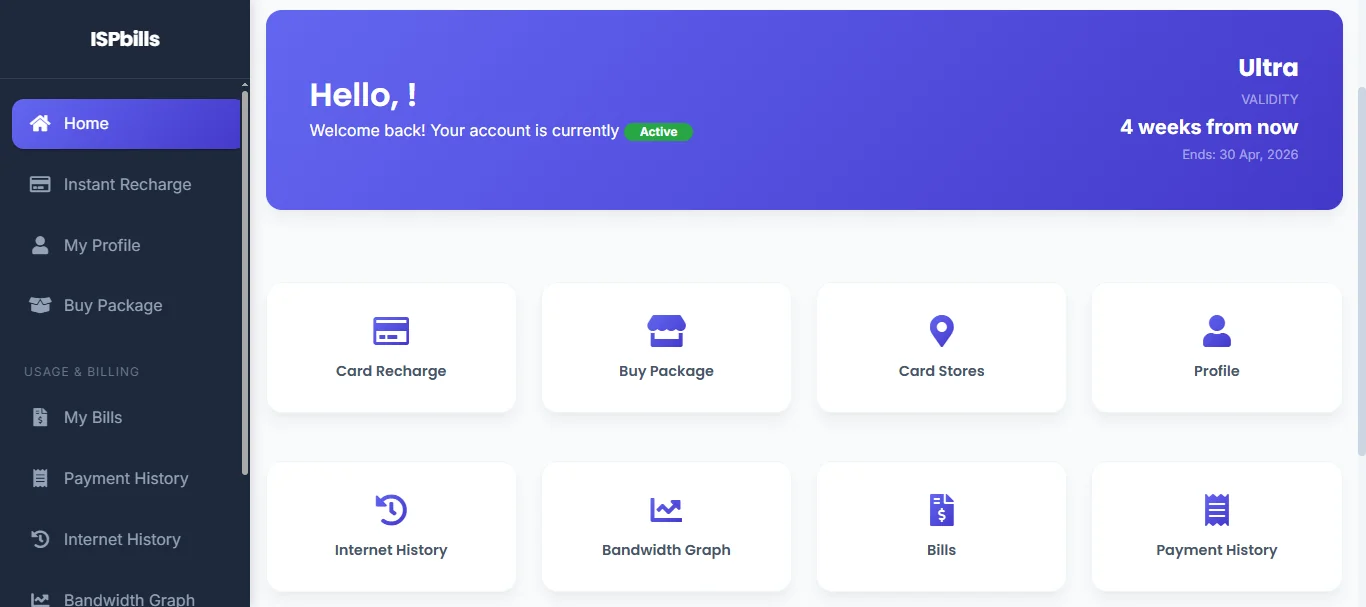
An ISP customer record must explain both the account and the service.
Support cannot resolve a connectivity issue from contact details alone. Collections cannot make a safe service decision without access state. A shared subscriber record gives each team the context it needs without exposing unrestricted controls.
Onboard the customer
Capture contact, location, identity, service and installation information with required ownership.
Assign the package
Connect speed, price, billing cycle, access credentials and network policy.
Manage the account
Keep invoices, payments, balances, notices and service status understandable.
Support the service
Use customer, equipment, access and billing context when investigating a request.
Capabilities connected to the operating workflow
Use these as evaluation areas, then confirm the exact device, provider, version and commercial requirements that apply to your deployment.
Subscriber profiles
Maintain contacts, addresses, documents, package, status and service ownership.
Customer portal
Give subscribers access to account, invoice, payment and supported self-service functions.
Ticketing
Track departments, priorities, assignments, communication and resolution context.
Field context
Relate installations, equipment, locations and network endpoints to the customer.
Communications
Send supported SMS, email, WhatsApp or Telegram notifications using defined templates.
Permissions
Separate billing, support, network and reseller responsibilities with role-scoped access.
Explore this topic in depth
Each page owns a distinct search and implementation question, with direct links into current documentation.
ISP CRM for Sales, Installation and Support Teams
Use an ISP-specific CRM to connect leads and subscribers with installation, package, billing, equipment, communication and support history.
Read focused guideDefine ownership and data quality before importing subscribers.
Confirm the current product behavior in a representative environment. Public pages describe the operating model; implementation documentation and a controlled pilot establish the exact fit.
- IdentityChoose stable customer and service identifiers and define duplicate, household and business-account rules.
- HistoryDecide which invoices, payments, tickets and network associations must remain available after migration.
- AccessMap staff and reseller roles to the minimum customer and network actions needed for their work.
Product, evidence and implementation paths
Answers for evaluation and implementation
How is ISP CRM different from a generic CRM?
ISP customer management connects contact and support history to packages, billing, access credentials, equipment and network service state.
Can customers pay through a self-service portal?
Yes. The customer portal supports account and payment journeys through configured providers.
Can staff access be restricted?
Yes. Roles and organizational scope can separate billing, support, network and reseller responsibilities.
Bring the devices, billing rules and integrations your ISP actually uses.
Use the online workspace for product exploration, or ask the team to scope migration and compatibility questions.