Implementation guide
MikroTik Billing Software for ISPs
This commercial evaluation page explains how billing, subscriber state and MikroTik access fit together. For configuration-level guidance, continue into the dedicated MikroTik PPPoE, API and RADIUS guides.
Use the interface and documentation together.
The capture below shows the related ISPbills product area. Follow the linked documentation for current fields and prerequisites, then validate the exact device, provider, software version, failure path and rollback before production use.
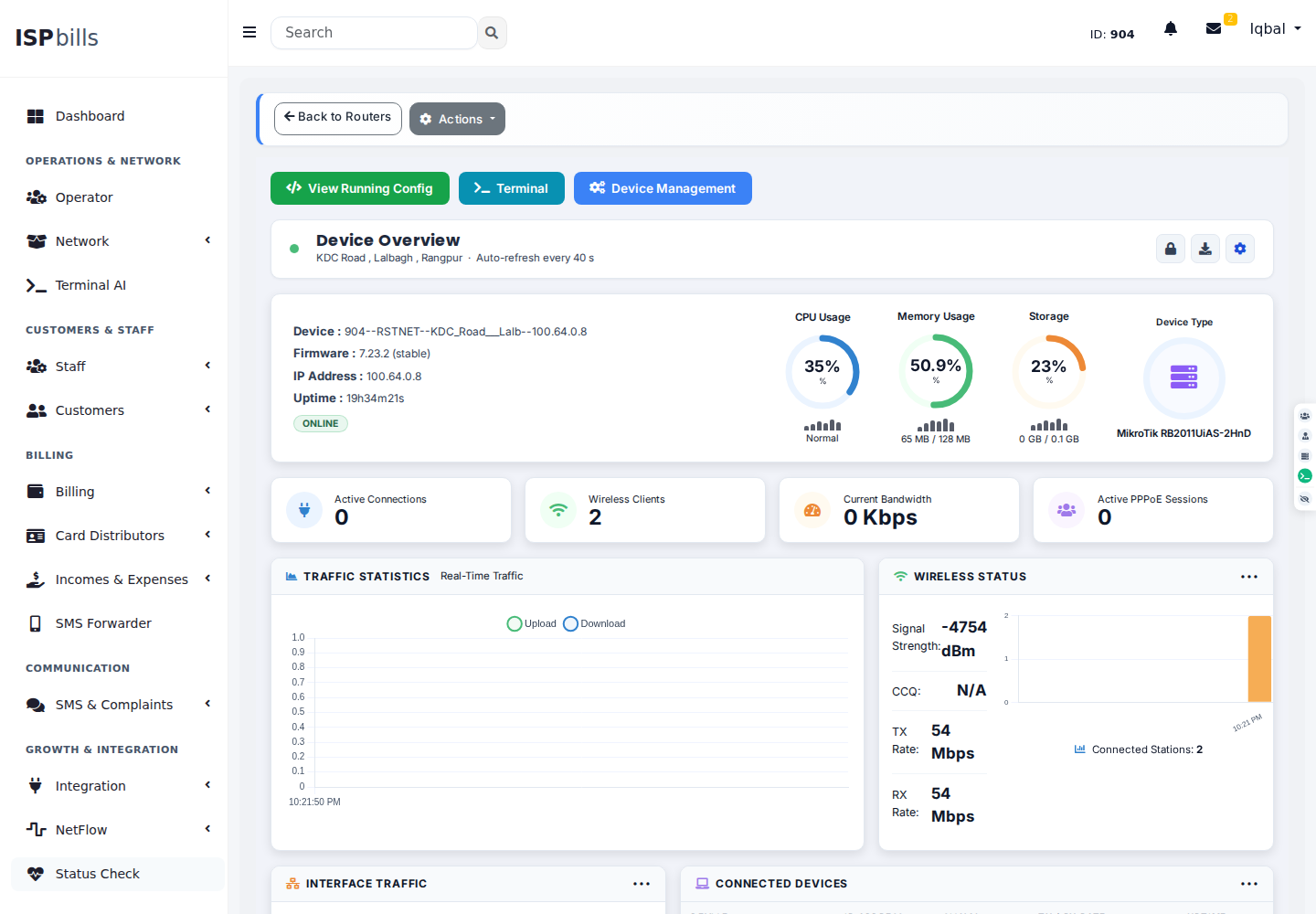
Plan the complete path, not one isolated setting.
Evaluate ISP billing software that connects MikroTik PPPoE, Hotspot, RouterOS API, RADIUS, packages, payments and subscriber lifecycle controls. Confirm the exact device, software version, provider contract and failure behavior in a representative environment before production rollout.
Match the access model
Identify PPPoE, Hotspot, static addressing and RADIUS responsibilities across the deployed routers.
Connect commercial policy
Map packages, invoice status, grace and payment verification to clear eligibility rules.
Prove operations
Pilot activation, plan change, suspension, reconnection and exception handling on representative RouterOS versions.
Prove the boundaries before automating them.
Record expected results, failure signals, the person who can approve a change, and the rollback path. Product support depends on the deployed architecture and integration version.
- RouterOS and API compatibilityTest this requirement with representative data and retain the result in the implementation plan.
- PPPoE, Hotspot or RADIUS ownershipTest this requirement with representative data and retain the result in the implementation plan.
- Payment and grace rulesTest this requirement with representative data and retain the result in the implementation plan.
- Migration and rollback evidenceTest this requirement with representative data and retain the result in the implementation plan.
Implementation answers
What should MikroTik billing software manage?
It should connect subscriber identity, plans, invoices and payment state to supported RouterOS or RADIUS access workflows.
Can ISPbills use MikroTik API and RADIUS?
Yes. The two paths can coexist when authentication, policy, configuration and monitoring responsibilities are explicit.
Can an existing MikroTik user base be migrated?
A migration can be scoped after reviewing secrets, profiles, pools, packages, balances and active-session behavior.
Bring the actual routers, access design, billing rules and failure cases.
Explore the online workspace or ask ISPbills to review compatibility and migration scope.