On this page
The Bills & Payments section manages the full billing lifecycle for your customers — from generating invoices to recording cash payments and verifying online transactions.
What This Section Covers
ISPbills supports two payment flows:
| Flow | Description |
|---|---|
| Cash / Manual Payment | Operator collects cash from the customer and records the payment in ISPbills. |
| Online Payment | Customer pays via a connected payment gateway (bKash, Nagad, SSL Commerz, etc.) through the customer portal or mobile app. Pending transactions are verified by the operator. |
Pages in This Section
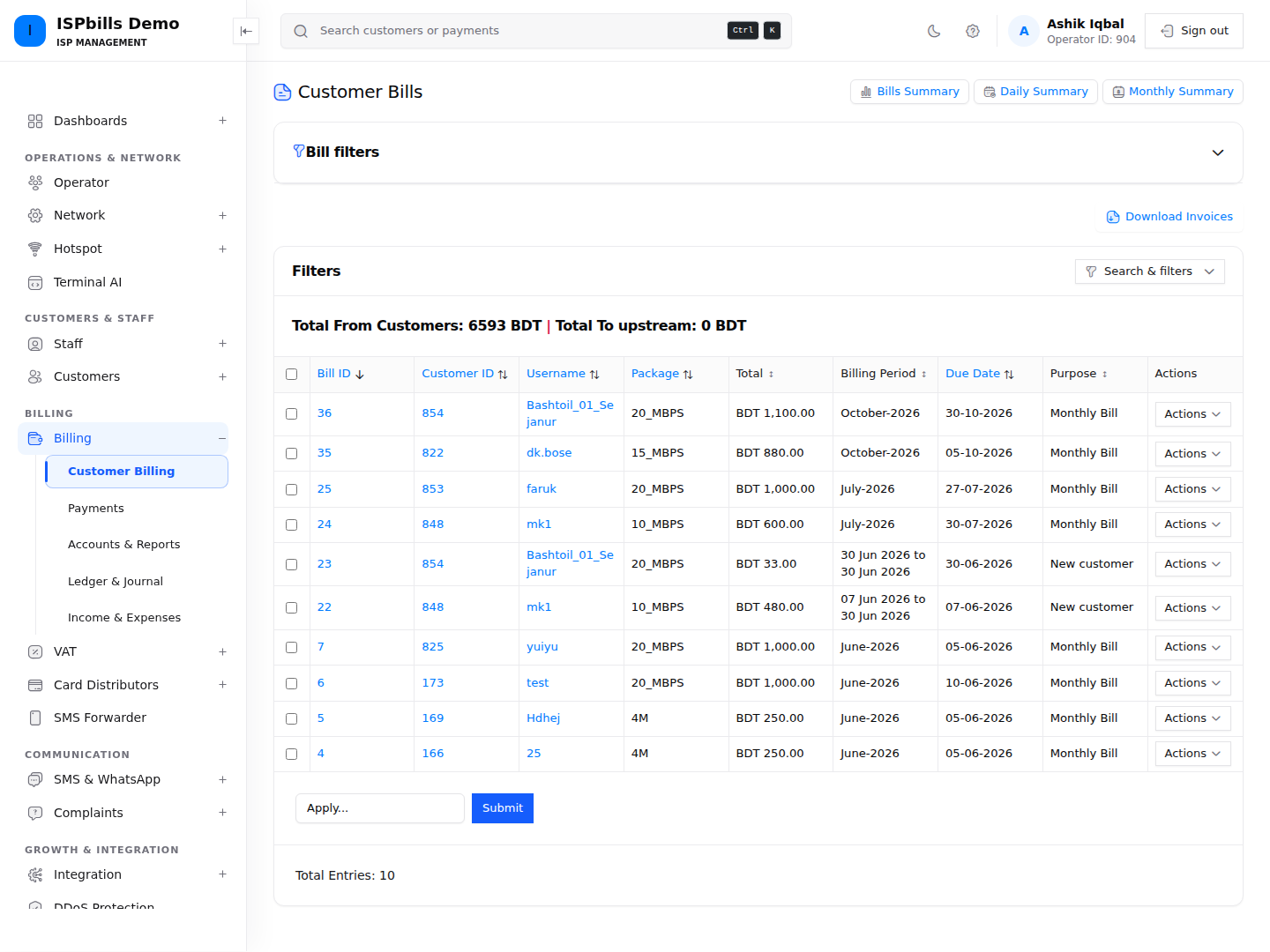
- Customer Bills — A complete ledger of all invoices generated for customers: due amounts, billing periods, and status.
- Bills Summary — An aggregated view showing total billed, collected, and outstanding amounts across your customer base.
- Billing Profile — Configure billing rules such as grace periods, auto-suspend thresholds, VAT settings, and invoice generation triggers.
- Verify Payments — Review pending online payment transactions submitted by customers and approve or reject them.
- Payment Forwarder — Connect an Android merchant-SIM device and reconcile forwarded wallet payment events safely.
Key Concepts
Bill Generation
Bills are generated automatically based on each customer’s billing cycle:
- Daily (PPPoE Prepaid): Balance is deducted daily. A bill is raised for each day of service.
- Monthly (PPPoE/Static IP Postpaid): A single bill is generated per billing cycle, typically on the customer’s renewal date.
- Hotspot: Bills are generated per session or package purchase.
Payment Methods
| Method | How It Works |
|---|---|
| Cash | Operator records it manually via the customer’s account or the Accounts > Customer Payments page. |
| Online Gateway | Customer initiates payment; ISPbills records a pending transaction that requires operator verification. |
| Recharge Card | Customer scratches a card and enters the PIN; balance is applied instantly. |
Outstanding Balances
If a customer’s balance reaches zero (prepaid) or their due amount exceeds the configured threshold (postpaid), ISPbills will automatically suspend the customer’s internet access on the router.
Accessing Bills & Payments
Navigate to Bills & Payments in the left sidebar to access all billing sub-sections.
Need help applying this guide?Browse related guidance or ask the support team for help.