On this page
The Resellers & Managers section is where you build and manage the human hierarchy of your ISP operation — from resellers who operate their own sub-networks, to managers who help run the admin portal, to sub-resellers working under your resellers.
What This Section Covers
ISPbills supports a multi-tier operator model:
Admin (ISP Owner)
├── Manager          (staff with limited admin access)
├── NOC User         (network operations technician — no financial access)
├── Accounts User    (accounting staff — accounts permissions only)
├── Support User     (support staff — support + manager permissions)
├── Reseller         (operator with their own customers)
│   ├── Sub-Reseller (operator under a reseller)
│   └── Manager      (a reseller can also create their own managers)
└── Card Distributor (recharge card sales agent)
Pages in This Section
- Resellers — Create and manage reseller accounts. Set billing mode (prepaid/postpaid), assign zones, configure permissions.
- Sub-Resellers — Create sub-reseller accounts under an existing reseller.
- Managers — Create staff accounts with customisable permissions to assist with admin tasks.
- NOC Users — Create network operations staff accounts with permission-gated access to infrastructure monitoring, device management, and customer troubleshooting. NOC users have no access to financial data. See NOC Role and NOC Panel.
- Specialized Staff Roles — Create and secure Accounts and Support users alongside Managers and NOC users. See Specialized Staff Roles.
- Operator / Sub-Operator Payments — Record financial settlements between admin and resellers.
- Notice Broadcast — Send internal notices or announcements to resellers and managers.
Key Concepts
Reseller Billing Modes
| Mode | How It Works |
|---|---|
| Prepaid | The admin holds the reseller’s balance. When the reseller adds a customer or renews a subscription, the cost is deducted from their pre-loaded balance. |
| Postpaid | The reseller collects cash from their own customers and periodically pays the admin the wholesale amount owed. |
Manager Permissions
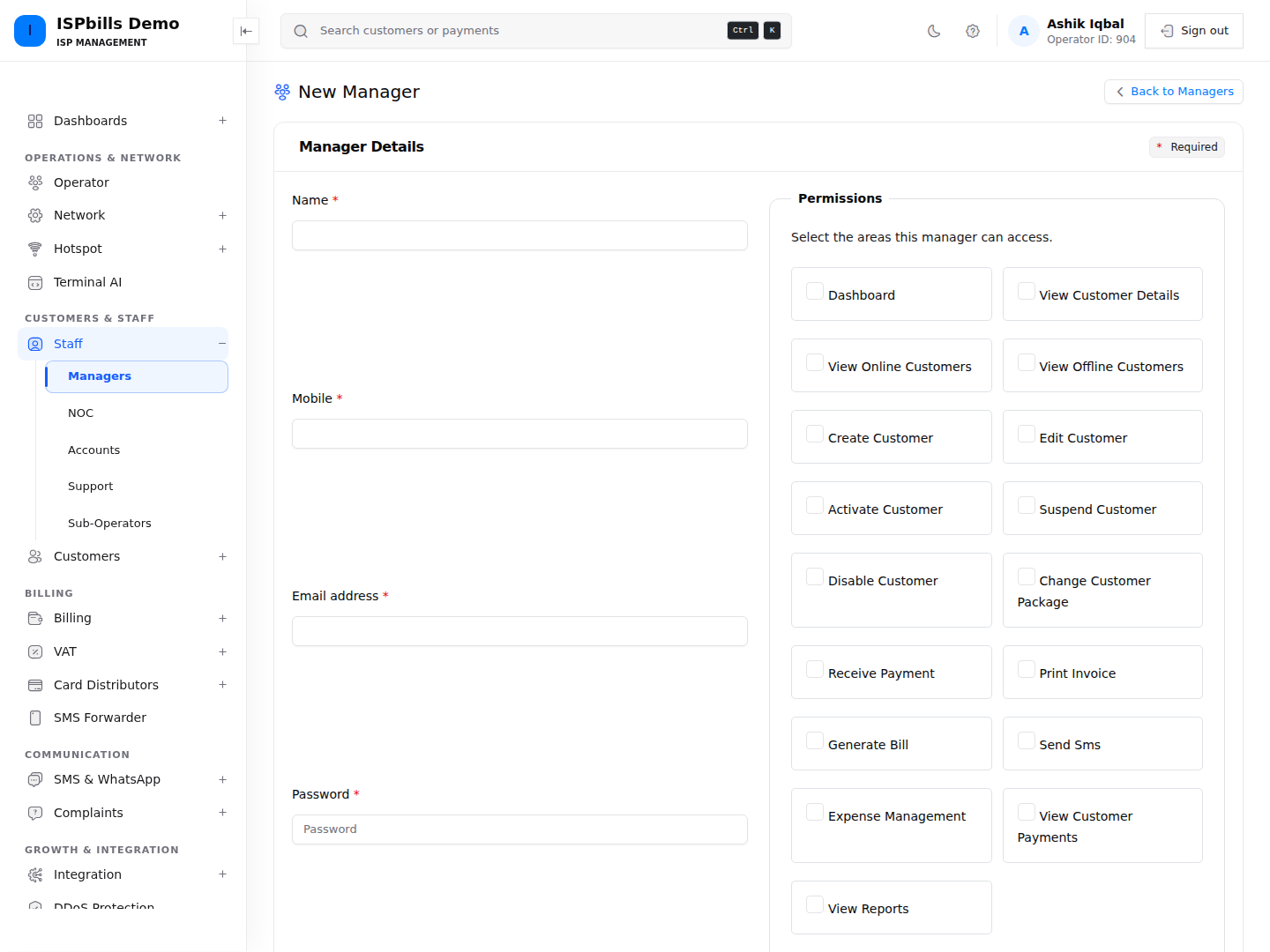
Managers are ISP staff, not resellers. They log in to the admin panel and can be granted access to specific sections (e.g., only billing, or only complaints). A manager’s permissions are chosen directly on the New Manager / edit form (Staff > Managers). (The separate Special Permissions screen is an operator feature for granting extra capabilities such as bill editing or the reseller module to a reseller — it does not apply to managers.)
Reseller Module
The reseller dashboard gives resellers their own portal to manage their customers, record payments, and view their financial balance — without access to the admin’s broader configuration.
Notice Broadcast
Use Notice Broadcast to send an SMS to all of your direct operators (resellers) simultaneously — regardless of their active/suspended status. Sub-operators and managers are not included, and there is no per-reseller targeting: every direct operator receives the same message at once. See Notice Broadcast for full details.
Accessing Resellers & Managers
In the Group Admin sidebar these accounts live under two menus: the Operator menu holds your independent resellers/operators, while the Staff menu holds Managers, NOC, Accounts, Support, and Sub-Operators. Operators and Sub-Operators manage their own Managers from a Managers item in their own panel.