MikroTik IP Address Management
Add, inspect, and safely remove RouterOS IPv4 addresses from the MikroTik monitor
Add, inspect, and safely remove RouterOS IPv4 addresses from the MikroTik monitor
On this page
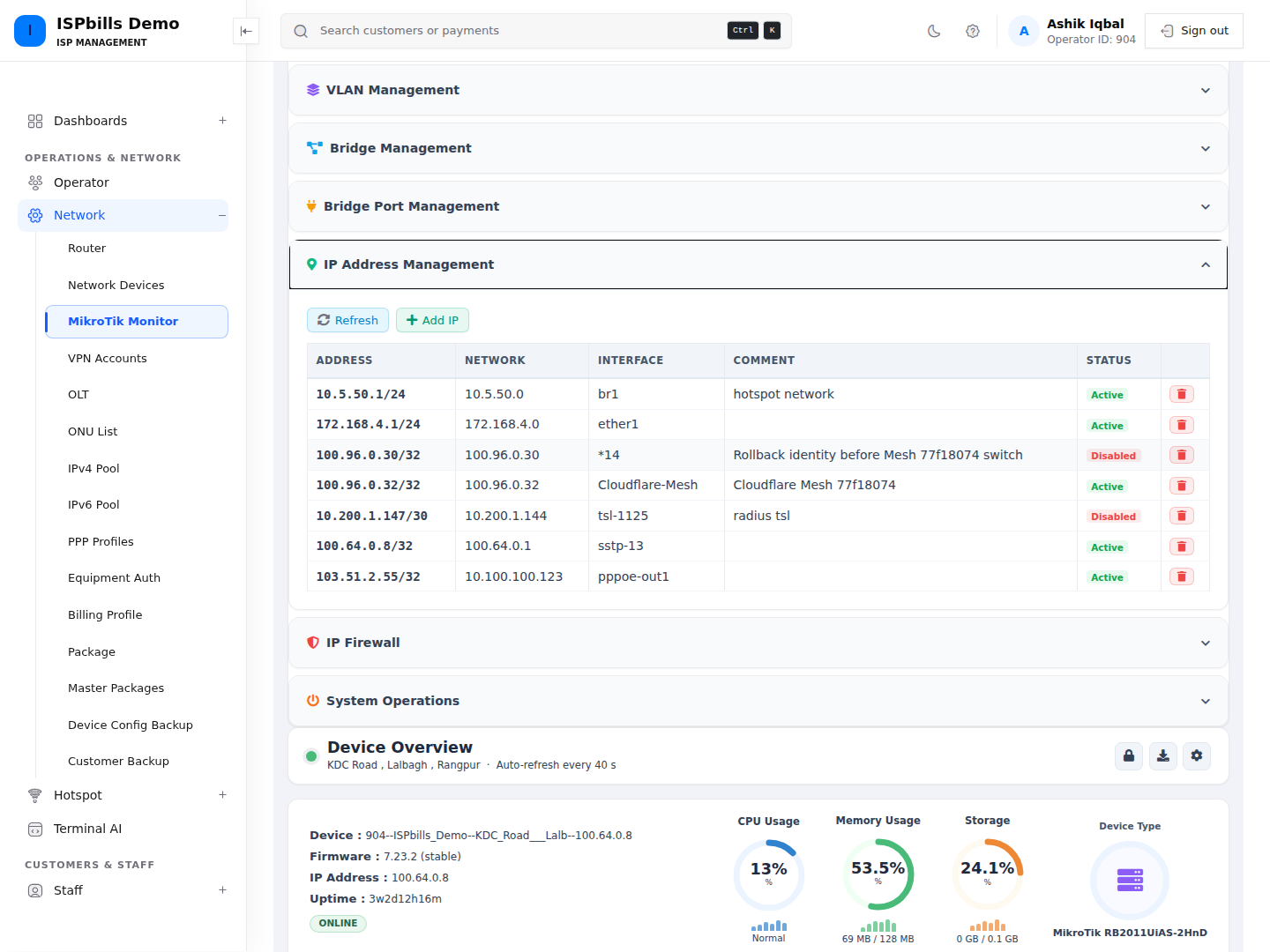
The IP Address Management panel reads /ip/address from the selected router. Its table shows address, calculated network, interface, comment, and Active/Disabled state.
See MikroTik Device Management for shared prerequisites and permissions.
Add an IP address
- Open Device Management → IP Address Management.
- Click Add IP.
- Complete the fields below.
- Click Add IP.
| Field | Requirement |
|---|---|
| Address (CIDR) | Required IPv4-looking address followed by a prefix, for example 192.168.1.1/24. |
| Interface | Required selection from the router’s live interface list; maximum 64 characters. |
| Comment | Optional text, maximum 128 characters. |
The application checks the address’s dotted-decimal/CIDR shape, but it does not verify that each octet is 0–255 or that the prefix is 0–32. RouterOS performs the final semantic validation.
Editing from this page
The monitor page does not render an Edit button or edit form for IP addresses. To change an existing address or interface safely, use RouterOS directly. Avoid deleting a working management address merely to recreate it unless you have verified another access path.
Remove an IP address
On a non-NOC management page, click the trash icon and approve Delete this IP address? ISPbills removes the address by its RouterOS .id.
There is no dependency or reachability check. Removing the address used for API access, routing, customer gateways, NAT, or management can disconnect the router immediately. NOC users have no IP-address delete route.
Troubleshooting
- Include a prefix length; an address without
/prefixfails page validation. - If a value passes the page but fails at the router, verify IPv4 octets, prefix length, duplicates, interface selection, and RouterOS policy.
- A row is marked Disabled when RouterOS reports either
disabled=trueorinvalid=true; inspect the router for the exact reason. - If the interface list is empty, refresh and check API connectivity and read permission for interfaces.