MikroTik VLAN Management
Create, inspect, and safely remove RouterOS VLAN interfaces from the MikroTik monitor
Create, inspect, and safely remove RouterOS VLAN interfaces from the MikroTik monitor
On this page
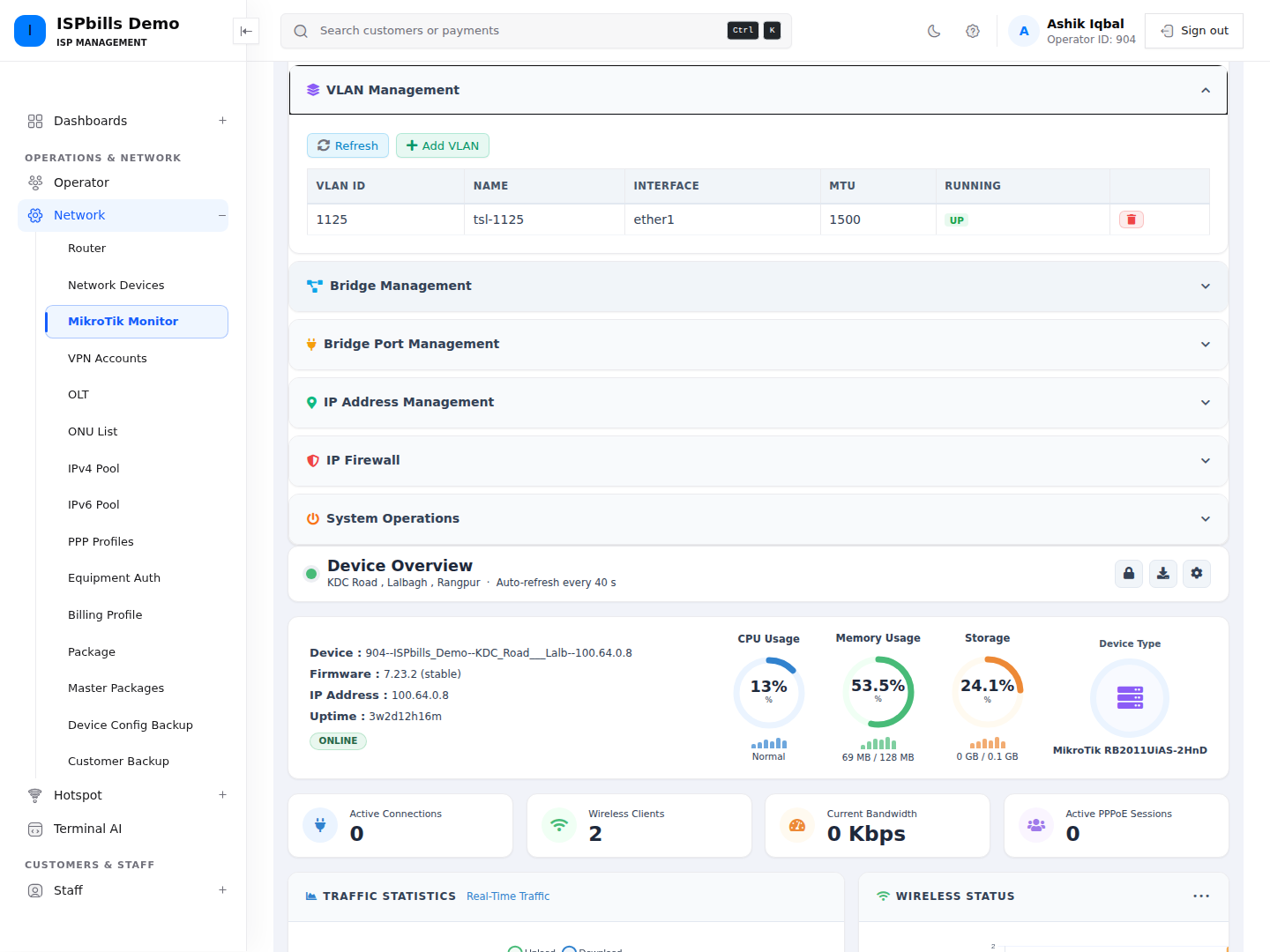
The VLAN Management panel reads /interface/vlan from the selected router. Its table shows VLAN ID, name, parent interface, MTU, and UP/DOWN running state.
See MikroTik Device Management for access, API, ownership, and NOC permission requirements.
Create a VLAN
- Open Device Management → VLAN Management.
- Click Add VLAN.
- Enter the fields below.
- Click Create VLAN. The refreshed table shows the router’s current result.
| Field | Requirement |
|---|---|
| Name | Required text, maximum 64 characters. Example: vlan100. |
| VLAN ID | Required integer from 1 through 4094. |
| Interface | Required parent interface, selected from the router’s live interface list; maximum 64 characters at the server. |
ISPbills sends only these three values. It does not set MTU, ARP mode, or other advanced VLAN properties from this form.
Remove a VLAN
Group Admin and Developer pages provide a trash icon. Click it and approve Delete this VLAN? to remove the RouterOS item identified by its internal .id.
ISPbills does not check whether IP addresses, DHCP services, bridge ports, firewall rules, or customer traffic depend on the VLAN. Review dependencies on the router before confirming. NOC users have no VLAN delete route.
There is no VLAN edit workflow in this panel. Make advanced changes in RouterOS, or plan a reviewed remove-and-create change with an alternate management path.
Troubleshooting
- If the parent interface is missing, click Refresh. The choices come from the router’s current
/interface/printresult. - The page checks the ID range but RouterOS decides whether the name, ID, and parent-interface combination is acceptable. Resolve duplicate names or RouterOS-specific errors on the router.
- A newly created VLAN can show DOWN until its parent interface and relevant link/configuration are operational.
- If a NOC trash icon fails, use a Group Admin account; NOC removal endpoints are not exposed.